
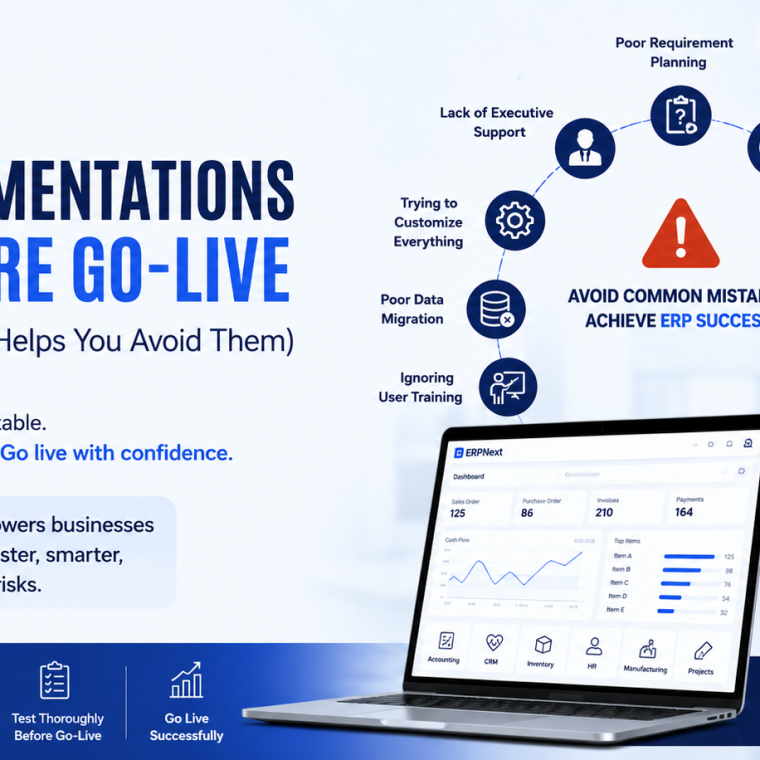

Implementing an ERP system is one of the most important investments a business can make. A successful ERP implementation can streamline operations, improve productivity, and provide real-time visibility into every aspect of your business.
Unfortunately, not every ERP project reaches the go-live stage successfully.
Many businesses spend months—or even years—preparing for implementation, only to face delays, budget overruns, poor user adoption, or project failure before the system is fully deployed.
The good news? Most ERP implementation failures are preventable.
Whether you’re planning to implement ERPNext for the first time or replacing a legacy ERP, understanding these common pitfalls can dramatically increase your chances of success.
1. Poor Requirement Planning
One of the biggest reasons ERP implementations fail is starting the project without clearly understanding business requirements.
Many organizations jump directly into software configuration without documenting how their current processes work or identifying what they expect from the new system.
This often results in:
- Missing features
- Incorrect workflows
- Scope changes
- Expensive customization
- Delayed implementation
How ERPNext Helps
ERPNext provides flexible modules for Finance, CRM, Sales, Purchasing, Manufacturing, HR, Inventory, Projects, and more. By carefully mapping your business processes before implementation, you can configure ERPNext to support your operations without unnecessary complexity.
2. Lack of Executive Support
ERP implementation isn’t just an IT project—it’s a business transformation initiative.
When leadership isn’t actively involved, teams often lack direction, priorities become unclear, and departments resist change.
Successful ERP projects require management to:
- Set clear goals
- Allocate resources
- Remove obstacles
- Encourage collaboration
- Support employees throughout the transition
Without executive sponsorship, projects often lose momentum before go-live.
3. Trying to Customize Everything
Many companies attempt to recreate every process from their old ERP system.
While customization can solve unique business needs, excessive customization increases:
- Development time
- Project cost
- Upgrade complexity
- Testing requirements
- Future maintenance
ERPNext Best Practice
ERPNext already includes industry-standard workflows for most business operations. Instead of customizing everything, businesses should adopt standard ERPNext processes wherever possible and only customize when it creates real business value.
4. Poor Data Migration
Your ERP system is only as good as the data inside it.
Migrating outdated, duplicate, or inaccurate information creates problems from day one.
Common issues include:
- Duplicate customers
- Incorrect inventory
- Missing supplier records
- Invalid financial data
- Inconsistent product information
Before importing data into ERPNext, businesses should clean, validate, and organize their existing records.
5. Ignoring User Training
Even the best ERP software can fail if employees don’t know how to use it.
Many organizations underestimate the importance of training and assume users will learn after deployment.
In reality, poor training often leads to:
- Low adoption
- Manual workarounds
- Data entry mistakes
- Employee frustration
- Reduced productivity
Best Practice
Provide role-based ERPNext training for each department, including finance, sales, HR, purchasing, warehouse, and management teams.
6. Unrealistic Timelines
ERP implementations require planning, testing, training, and validation.
Trying to rush deployment often causes:
- Incomplete testing
- Configuration errors
- User confusion
- Critical bugs
- Project delays
Instead of focusing solely on deadlines, prioritize implementation quality and readiness.
7. Skipping User Acceptance Testing (UAT)
Before going live, every workflow should be tested using real business scenarios.
Unfortunately, many businesses perform only limited testing.
A proper UAT should verify:
- Sales Orders
- Purchase Orders
- Inventory movements
- Accounting entries
- Payroll processing
- Manufacturing workflows
- Reports and dashboards
Testing before deployment significantly reduces go-live risks.
8. Poor Change Management
Employees naturally resist major changes.
If users don’t understand why the ERP system is being introduced, adoption becomes much more difficult.
Communicate:
- Project objectives
- Expected benefits
- New workflows
- Training schedules
- Support channels
Involving employees early helps create confidence and reduces resistance.
9. Choosing the Wrong Implementation Partner
ERP software is only part of the solution.
An experienced implementation partner understands:
- Business processes
- ERPNext best practices
- Data migration
- Integration
- Custom development
- User training
- Go-live support
Choosing a partner based only on price often leads to higher costs later.
10. Going Live Without a Checklist
Many implementation failures happen because businesses rush deployment without verifying system readiness.
A comprehensive go-live checklist should include:
✅ Data migration completed
✅ Financial opening balances verified
✅ Inventory validated
✅ User roles configured
✅ Email notifications tested
✅ Reports reviewed
✅ Backups completed
✅ Employee training completed
✅ UAT approved
✅ Support team ready
Completing this checklist helps ensure a smoother transition into production.
Why ERPNext Is an Excellent Choice
ERPNext has become one of the fastest-growing open-source ERP platforms because it combines flexibility with a comprehensive set of built-in features.
Businesses choose ERPNext because it offers:
- Complete business management in one platform
- Open-source flexibility
- Modern web-based interface
- Lower implementation costs
- Highly customizable workflows
- Cloud and on-premise deployment
- Active global community
- Regular updates and improvements
Whether you’re managing inventory, accounting, manufacturing, HR, CRM, projects, or procurement, ERPNext provides an integrated solution that grows with your business.
ERPNext Implementation Best Practices
To maximize your chances of a successful go-live:
- Define clear business goals.
- Document your existing workflows.
- Clean your data before migration.
- Avoid unnecessary customization.
- Train every department.
- Perform comprehensive testing.
- Prepare a detailed go-live checklist.
- Work with experienced ERPNext consultants.
- Monitor performance after deployment.
- Continue improving processes after launch.
ERP implementation isn’t a one-time event—it’s an ongoing journey of business optimization.
How We Help Businesses Implement ERPNext Successfully
At ERPNext Canada, we help businesses plan, customize, implement, and support ERPNext solutions that align with their operational goals.
Our ERPNext services include:
- ERPNext Implementation
- Business Process Analysis
- ERPNext Customization
- Data Migration
- Third-Party Integration
- User Training
- Performance Optimization
- Ongoing Maintenance & Support
From initial planning to post-go-live support, our team ensures your ERPNext implementation is delivered on time, within budget, and with minimal business disruption.
Final Thoughts
Most ERP implementation failures don’t happen because of the software—they happen because of poor planning, inadequate training, bad data, or unrealistic expectations.
With a clear implementation strategy, experienced guidance, and a powerful platform like ERPNext, businesses can avoid these common mistakes and achieve a successful go-live.
A well-implemented ERPNext system doesn’t just replace spreadsheets or legacy software—it transforms the way your business operates, helping you improve efficiency, make better decisions, and scale with confidence.